


Shop anywhere. Decide with your closet.
Browser is where shopping turns into a decision flow: scan the page, choose the right image, style the item, and try it on before you buy.
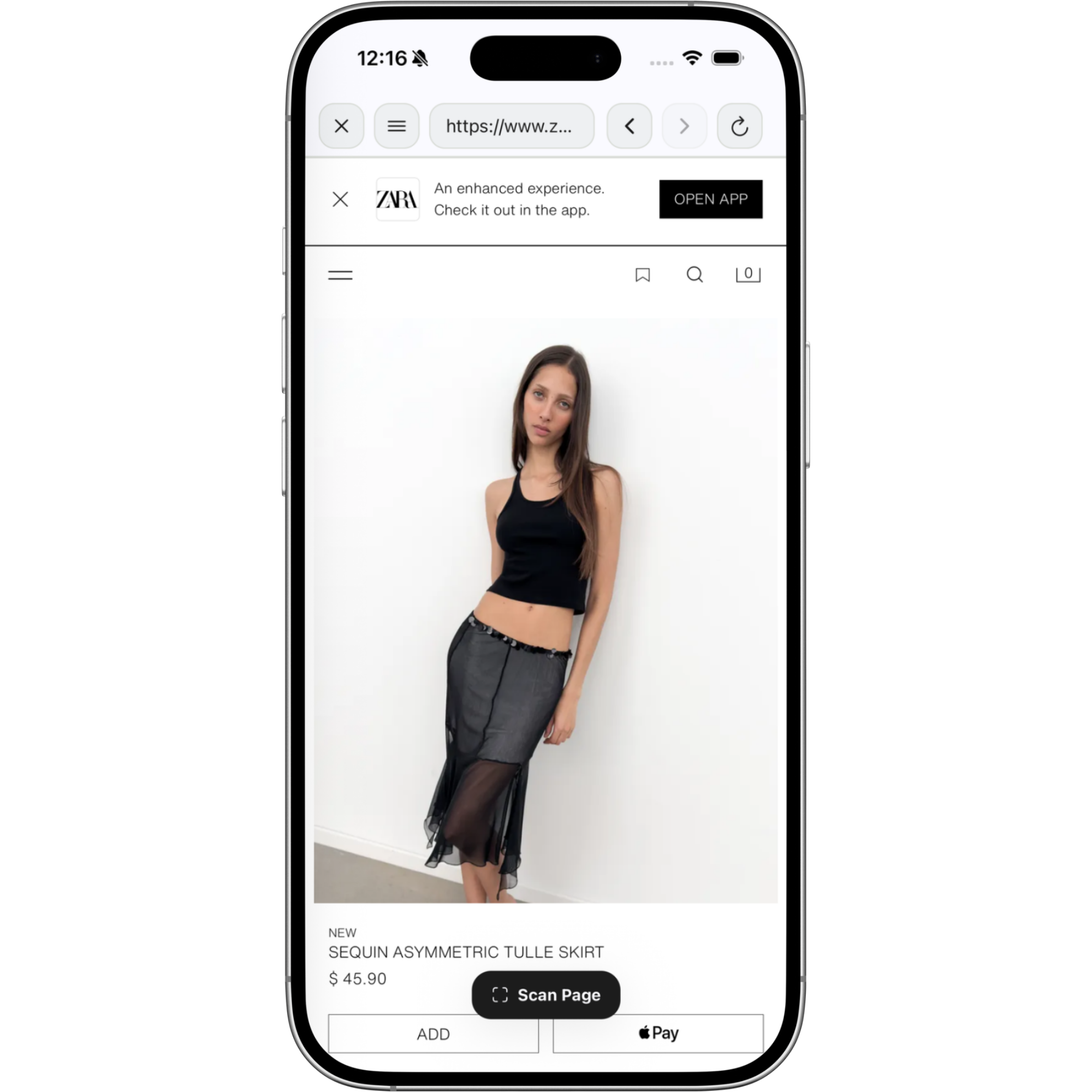
Browser is not just where you shop. It is where the whole Klozu flow starts.
.svg)
Scan the page
When something catches your eye, pull it into Klozu before it disappears into another tab.
Choose the useful image
Keep the clean product shot you actually want to style, save, or judge.
Send it into the next move
Go straight to closet, verdict, style item, try on, or style canvas from one scan.
STEP 01
Find something worth saving.
Open any shopping page inside Klozu Browser. When a piece catches your eye, tap Scan Page before it disappears into another tab.
Download Now

STEP 02
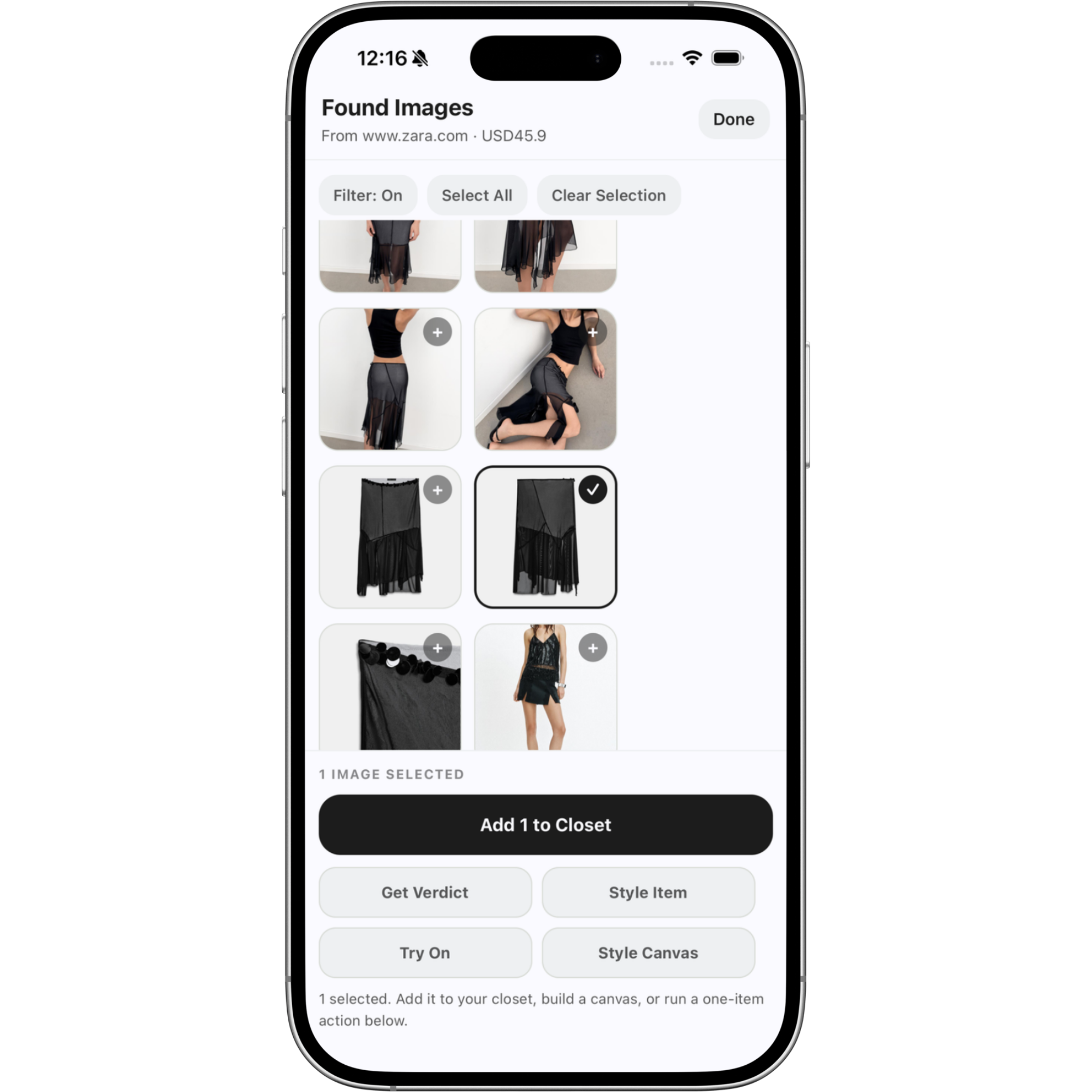
Pull the product images that matter.
Klozu finds the useful product shots, filters out noise, and lets you choose the image you actually want to use.
See Verdict
STEP 03
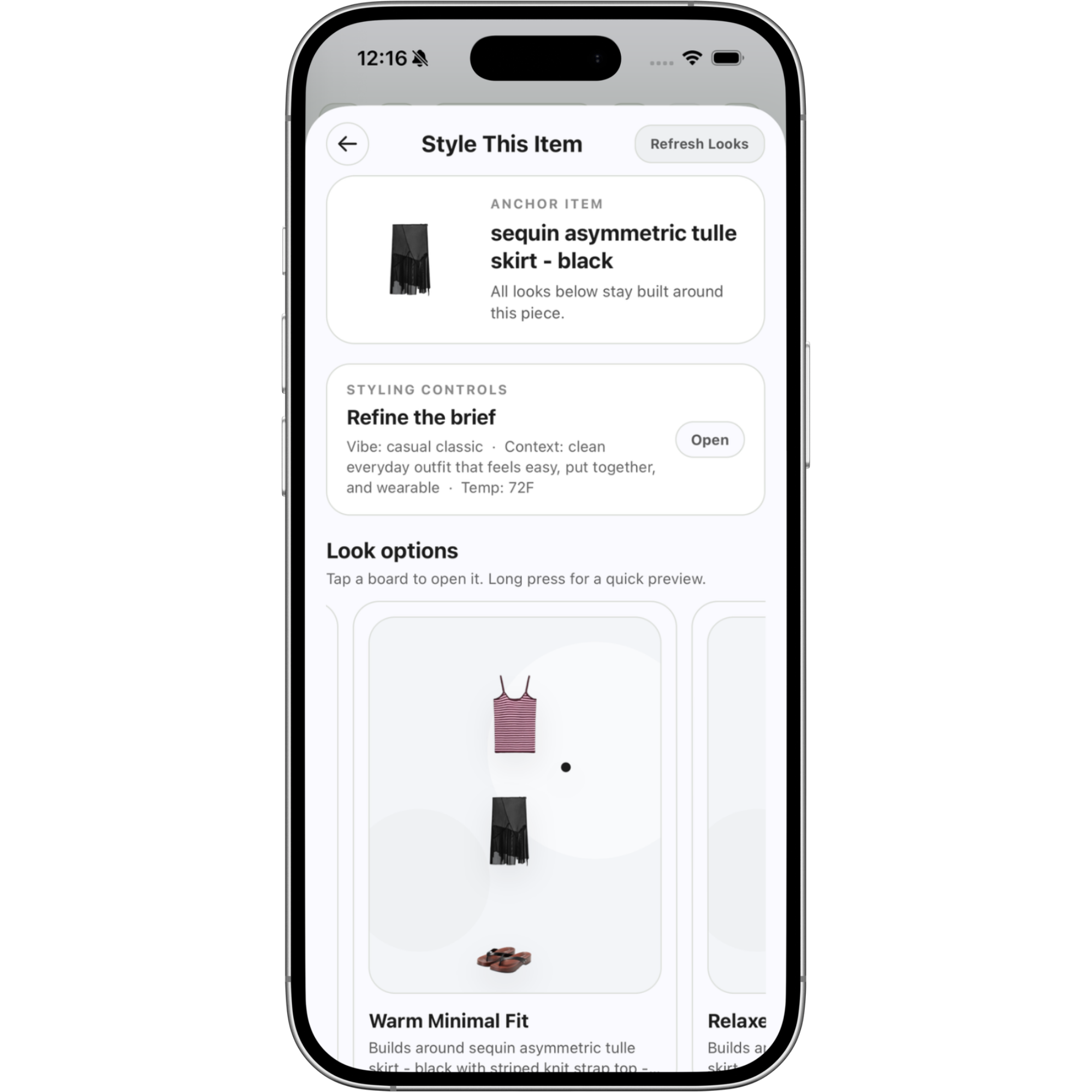
Style it before you buy it.
Send the item straight into Style Item and see how it works with your real wardrobe, not a random inspiration board.
Build the Look
STEP 04
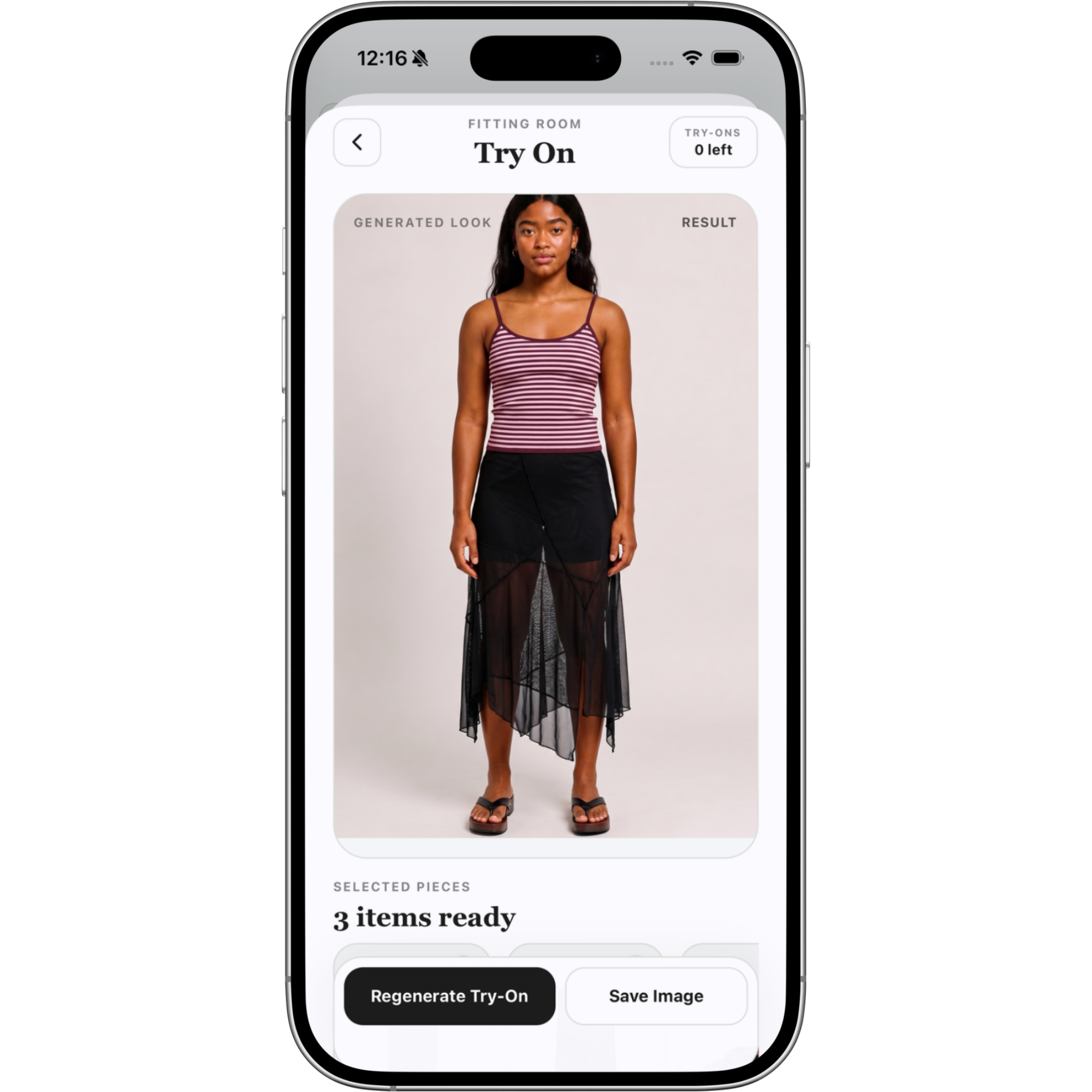
Try the full look on.
Move from product page to outfit preview. Use Try On to see the piece inside a complete look before you commit.
Open Try On
WHAT PEOPLE ARE SAYING
“Browser makes shopping feel useful instead of chaotic. I can go from product page to verdict, styling, and try-on without losing the thread.”
Devon K.
Chicago
See all testimonials
Bring the next find
into ⎯ Klozu

Scan the page, save smarter, and move from product page to outfit before you commit.
Download on the App Store
KLOZU
Shop with purpose, get real verdicts, and build smarter outfits with Klozu.
© 2026 Klozu. All rights reserved.